
What's New in Datavare 2.0: Mac Compatibility, File Preview, and More Export Control
Aug 25, 2026
story
Seeking
Visibility


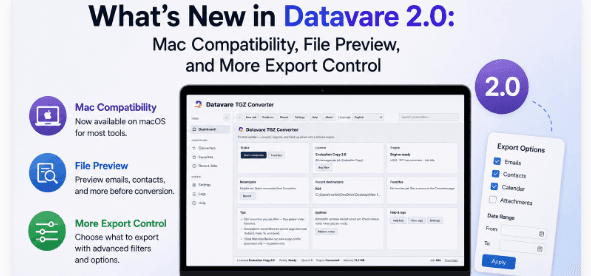
DataVare 2.0 brings Mac compatibility, file preview, and advanced export controls to its email conversion tools.
A Suite-Wide Update
Datavare has released version 2.0 across its suite of email and data migration tools. This is not a single new product but a shared update rolled out to most of the existing converters in the catalog, meaning the changes below apply broadly across the lineup rather than to one isolated tool. Here's a plain, factual look at what has actually changed.
1. Mac Support:
For years, most of Datavare converters were only available for Windows. That meant – Mac users needing to move or translate data from email had to create a virtual machine or install a Windows partition just to run the software. With the release of version 2.0, that workaround is no longer necessary for most of the affected tools, as they now run natively on macOS.
A few points specifically worth noting about this change:
- Mac support applies to most, but not all, of the converters in the suite.
- NSF-based tools built around HCL Notes and IBM Lotus Notes files are Windows-only and not part of this Mac rollout for now.
- It's an addition to, not a replacement for, existing Windows functionality.
This update does not impact your current setup if your work is specifically reliant on NSF conversion. For everyone else running Mac hardware, it removes a workaround that was previously necessary just to use the software in the first place. This means Mac users no longer have to keep a separate Windows license or virtual machine running purely to handle occasional conversion tasks, which was a real added cost for some users.
2. Live Preview:
The update now includes a preview pane that enables users to view inside a file before running a conversion. Loading a file used to mean committing to the process and hoping the folder structure, message count or formatting would be what you anticipated. Now, that can be checked and confirmed in advance.
This is not a new idea in the category of migration software. Preview functionality is pretty common elsewhere. What’s interesting here is that it is new for Datavare’s own tools, bringing them more in line with what users generally expect from this type of software.
The preview feature serves a couple of useful purposes:
- Checking a file for correct loading before converting
- Catch corrupted or incomplete data early, not at the end of a full run
- Get a general sense of what files contain, e.g. folder structure, approximate message count, without committing to output files
If you have ever done a conversion only to discover that your source file was corrupted or not a match, this is a direct answer to that pain point.
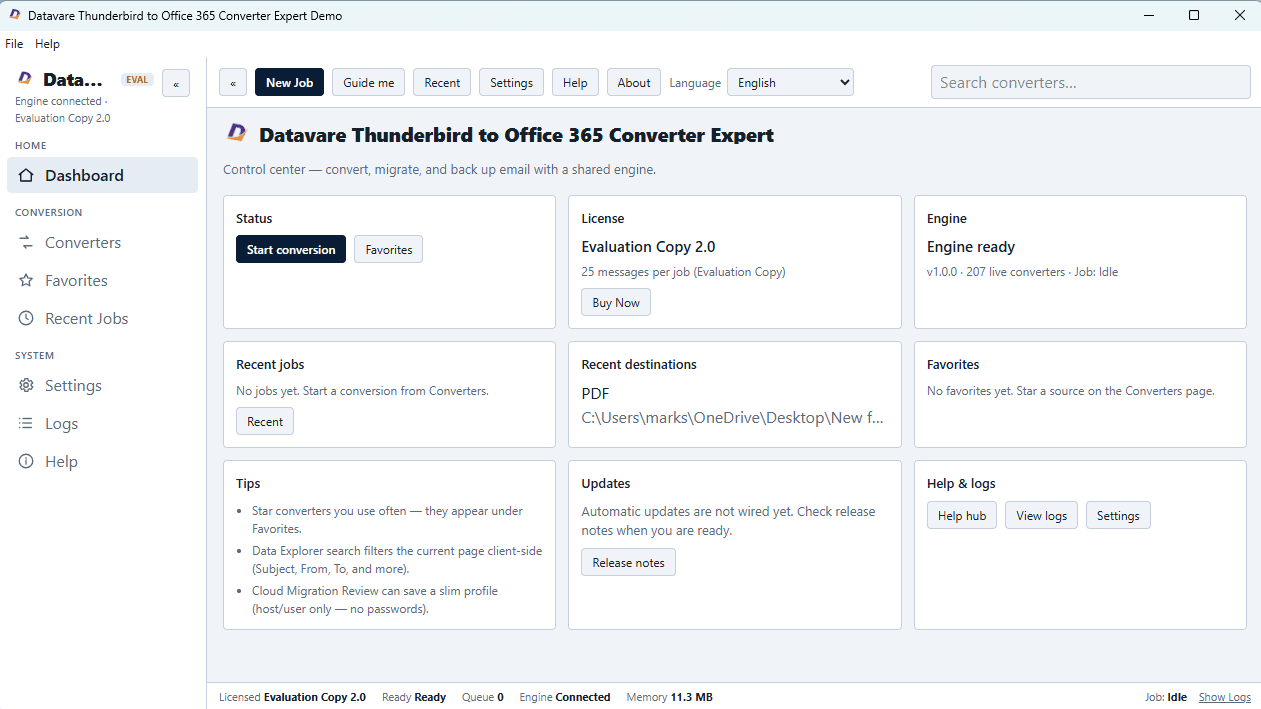
Datavare 2.0's updated dashboard interface.
3. Advanced Export and Selective Export:
The previous versions of these conversion tools generally treated conversions as a black and white process. All parts of the file or the mailbox were converted, even if not all parts were needed. Also new in 2.0 is selective export, which allows users to not convert everything, but only certain parts of a file.
4. Selective Export Options Now Include Filtering By:
- Specific folders in a mailbox
- Date ranges, so only messages in a certain date range are converted
- Partial message data, not the complete dataset
This is accompanied by a set of additional controls that Datavare refers to as advanced export. They influence the structure of the output itself, with features such as preserving the original folder structure or filtering during export rather than afterward.
The practical benefit, for anyone dealing with large mailboxes, is simple: smaller output sizes, fewer unnecessary files and less manual cleanup after the conversion is done. So, for example, someone who only needs one folder from a large PST file no longer has to convert the whole thing and then sort through the output.
5. User Interface Modern:
The interface has been redesigned in this update too. The layout has been redesigned, the menus simplified and the visual style updated, mainly to make space for the new preview pane and export controls, which had to fit into the existing workflow in a logical place.
The change of interface itself does not add new functionality. It’s better understood as a consequence of the other changes: fitting a preview pane and a more detailed export process into the software without making it harder to use. Whether this is a meaningful improvement will likely come down to individual taste, as interface redesigns are more subjective in nature than functional additions such as Mac support or selective export options.
The Whole Picture
None of the four changes is dramatic on its own. Mac support brings the tools to a new platform, no NSF conversion. Live preview is a basic verification step that was missing. Selective and advanced export provides more user control over conversion output. The interface update shuffles things around to fit the rest in.
They represent together a shift in what these tools are intended to accomplish. Previous versions were simple, one-size-fits-all converters. Load a file, convert the whole file, and deal with the output afterward. Version 2.0 moves toward a more controlled migration process where you can verify a file before converting it, choose exactly what you want to convert and do so on a Mac if that is your platform of choice.
How important the update is to a given user really depends on what tool they use and what they were dealing with before. If someone is already running Datavare’s tools on Windows and converting entire mailboxes without issue, they may not notice much difference beyond the interface. An update more directly useful to someone previously blocked by the lack of Mac support, or who regularly dealt with oversized output from full-file conversions. As with any software update, the value is in what particular constraints it lifts for the person using it, not the update per se. So, before you assume that all the changes described here apply to your exact use case, it is worth checking the release notes for the specific converter you rely on.
- Education
- Technology
- Behind the Headlines
- Shout Your Vision
- Digital Skills
- Internet Access
- Global