
How to Host Your Own Email Server at Home (2026)
May 26, 2026
story
Seeking
Collaboration


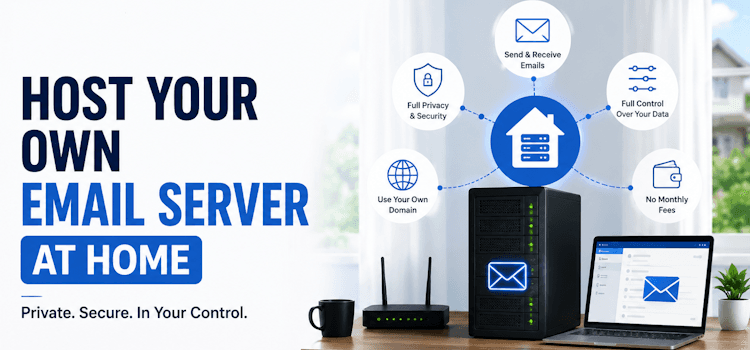
Photo Credit: Chat GPT
How to Host Your Own Email Server at Home (2026)
Deciding to host your own email server at home shifts you from a dependent user to the complete owner of your digital communication. Cloud platforms offer convenience, but they read your receipts and scan your attachments. Moving this infrastructure to your own hardware cuts out the corporate middlemen. Before configuring your network, your immediate priority is securing the data you already have. You need a dedicated way to migrate IMAP data directly from your old provider to your local machine. This ensures you safely transfer years of conversations for your Personal and Business tiers without relying on risky two-way synchronization tools.
Why You Need a private email host
Relying on a private email host reclaims your privacy and protects you from sudden corporate shutdowns. We are currently watching major platforms close their doors. The upcoming Metronet email service closure scheduled for June 2026, and the Amazon WorkMail end of life hitting in March 2027, prove that free or cheap services vanish when they stop being profitable. Controlling the hardware means nobody can force you out of your inbox on their timeline.
Network Rules to host a mail server at home
If you want to host a mail server at home, standard residential internet will fail you. The global network treats residential IPs with extreme suspicion.
You have to resolve three main network hurdles:
- Port 25 Unblocking: You have to call your provider and ask them to open this specific port so your machine can talk to other servers.
- Static IP Address: When you host your own email server, a dynamic IP that changes weekly will get your traffic flagged as spam. You need a fixed IP.
- PTR Record: You must ask your ISP to set up a reverse DNS pointer mapping your static IP back to your domain name.
Designing a mail server with a custom domain
A mail server with a custom domain gives you a professional, permanent identity. After buying your domain, you must configure the Domain Name System (DNS) records. Without exact DNS routing, a mail server's custom domain cannot receive outside messages.
You must set up:
- A Record: Maps your domain directly to your home's static IP address.
- MX Record: The Mail Exchanger tells the internet exactly where to drop off messages for your domain. Set the priority to 10.
Software for Your personal smtp server
Setting up a personal smtp server requires choosing your software stack. A traditional Linux installation means configuring Postfix for routing and Dovecot for storage. Modern administrators almost always move Cyrus to Dovecot because Dovecot handles high concurrency effortlessly, which is critical when checking your inbox from modern mobile devices running iOS 26.
Alternatively, use Docker containers like Mailcow. These packages bundle your personal smtp server, spam filters, and IMAP storage into an isolated, pre-configured environment, saving you hours of troubleshooting.
Securing Your private email smtp server
If you are hosting email server at home, automated bots will start guessing your passwords within minutes of going live. You must protect your private email smtp server with strict authentication. If you skip this, your messages will bounce, looking exactly like the frustrating scenarios where users report iCloud emails not coming through.
Implement these required defenses:
- SPF: A DNS record listing the IP addresses allowed to send for your domain.
- DKIM: Adds a mathematical, cryptographic signature to every outgoing message.
- DMARC: Tells receiving servers to reject messages that fail SPF or DKIM checks.
Fail2Ban: Software that monitors your logs and instantly blocks IP addresses that fail password guesses three times.
Post-Setup & Administration
Once your system is running, maintenance is straightforward but mandatory. Monitor your logs for blocked messages. Keep 3-2-1 backups of your directories. Finally, handle the administrative work. Log into your professional networks and change your LinkedIn email to your new custom address. This routes all connection requests safely to your living room, completely bypassing your old provider.
Conclusion
Deciding to host your own email server at home takes you out of the corporate data-mining ecosystem entirely. You learn the mechanics of DNS, manage your IP reputation, and establish secure cryptographic boundaries around your personal history. Protect your hardware, monitor your firewall logs, and enjoy the absolute control of a truly independent digital life.
Frequently Asked Questions
Q: Does hosting my own email server actually save money?
It depends on your timeline. Factoring in the upfront cost of a refurbished PC, plus domain registration, year one might seem slightly more expensive than a cheap cloud plan. However, over the long term, the math heavily favors self-hosting. You stop paying monthly subscription fees per inbox, which is incredibly cost-effective if you run multiple Personal and Business accounts from the exact same physical machine.
Q: What happens to incoming messages if my home power or internet drops?
You will not immediately lose your mail. The SMTP protocol was built for reliability. If your server goes offline during a power outage, the sending server will queue the message. It continuously tries to redeliver the email for up to 72 hours before finally giving up. If you get your router back online within a day, those queued messages automatically flow into your inbox without any data loss.
Q: I configured SPF, DKIM, and DMARC perfectly, but my emails hit the spam folder. Why?
Authentication proves who you are, but it does not instantly grant you trust. If you send from a brand new IP address, major platforms treat you with extreme suspicion by default. You must go through an IP warm-up phase. Send just a few messages a day to contacts on different providers. Ask them to actively move your message out of the spam folder and reply. This teaches the algorithms that your server handles legitimate human conversations.
Q: Can I manage multiple custom domains on a single home server?
Yes. Once your underlying infrastructure is stable, adding a second or third domain is straightforward. It just requires updating your DNS records at your registrar and adding the new domain to your local configuration interface. A modern Docker container setup can comfortably route traffic for dozens of completely separate domains simultaneously.
- Technology
- South and Central Asia